01 DISCOVER
Find your kind of film.
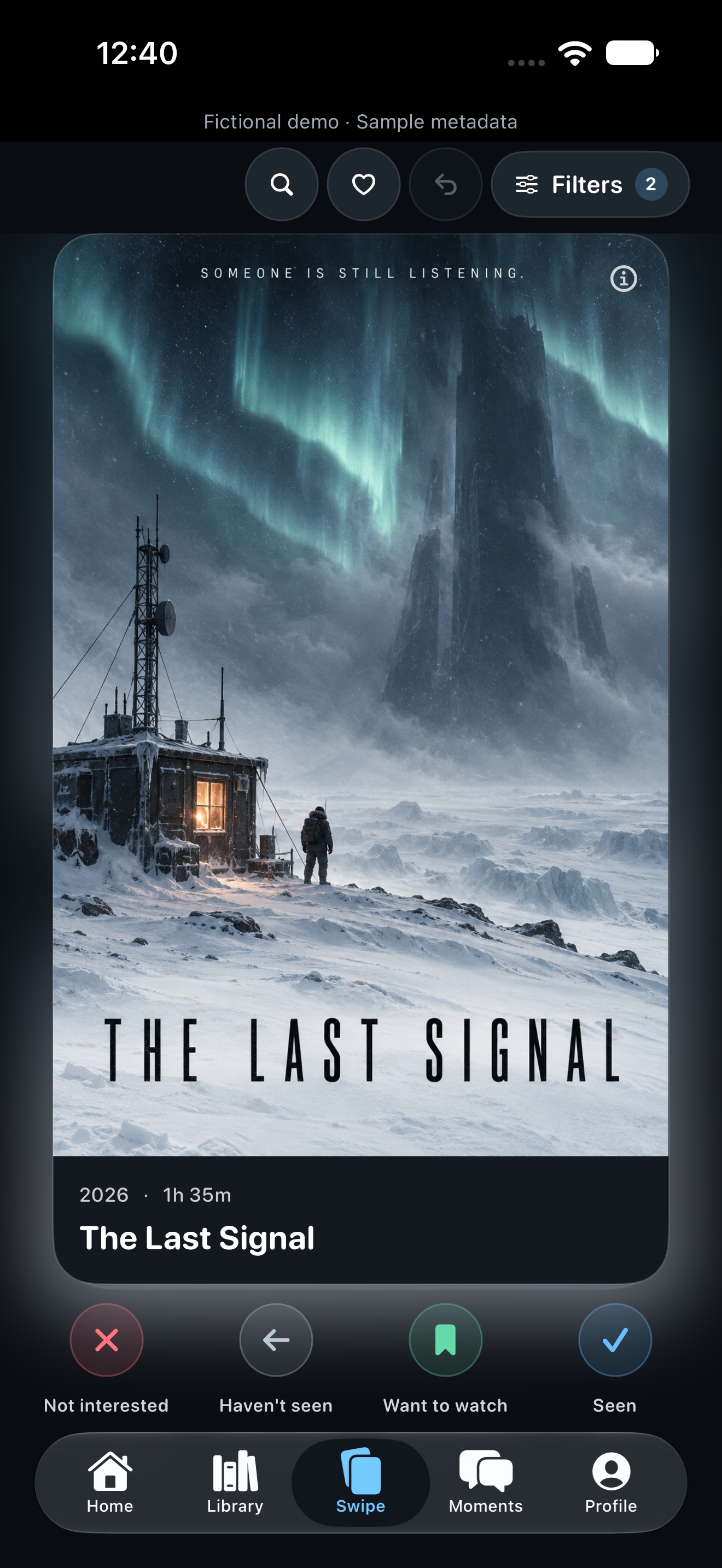
Explore movies and TV shows one at a time. Save what catches your eye, then mark whether you’ve seen it. Your watchlist stays separate from your watch history.
Changed your mind? There’s undo.
 Movie SceneApp Store
FOR THE LOVE OF MOVIES
The films you’ve seen. The ones you can’t wait to watch. The moments you’re still thinking about. All in your Movie Scene.
A LITTLE MORE YOU. A LOT MORE CINEMA.
From “have you seen this?” to “you have to see this.”
Movie Scene connects the whole story.
Explore movies and TV shows one at a time. Save what catches your eye, then mark whether you’ve seen it. Your watchlist stays separate from your watch history.
Keep Seen and Not Seen titles, your watchlist, ratings, and favorites together. Create custom lists, track watched episodes, and jump back into a show from your Library.
Save a thought at the timestamp that inspired it. Add a category or time range, then slide the timeline to find the scene again.
A LOOK INSIDE
App screenshots with a fictional library.
Keep your history and your watchlist distinct. Undo is always close by.
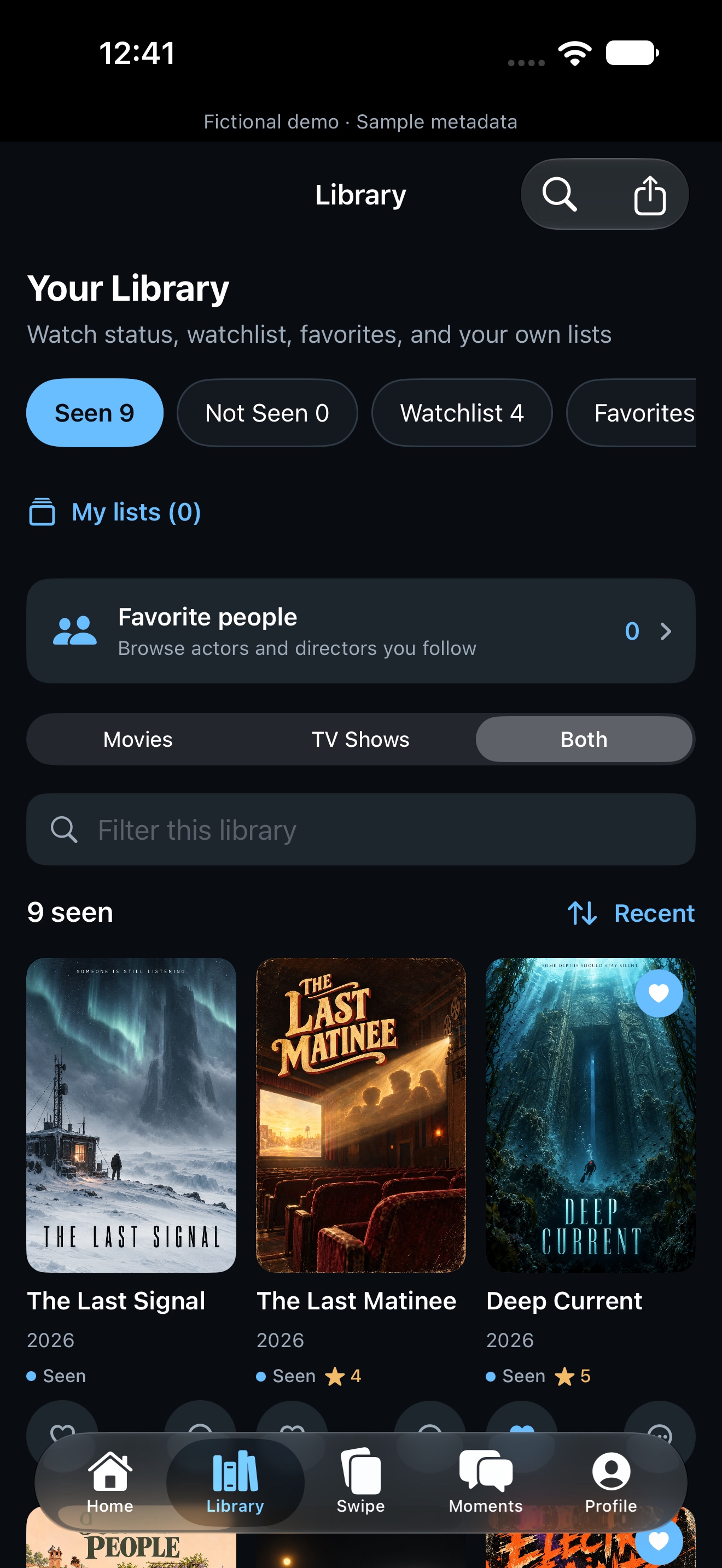
A collection that remembers what you’ve watched and what comes next.
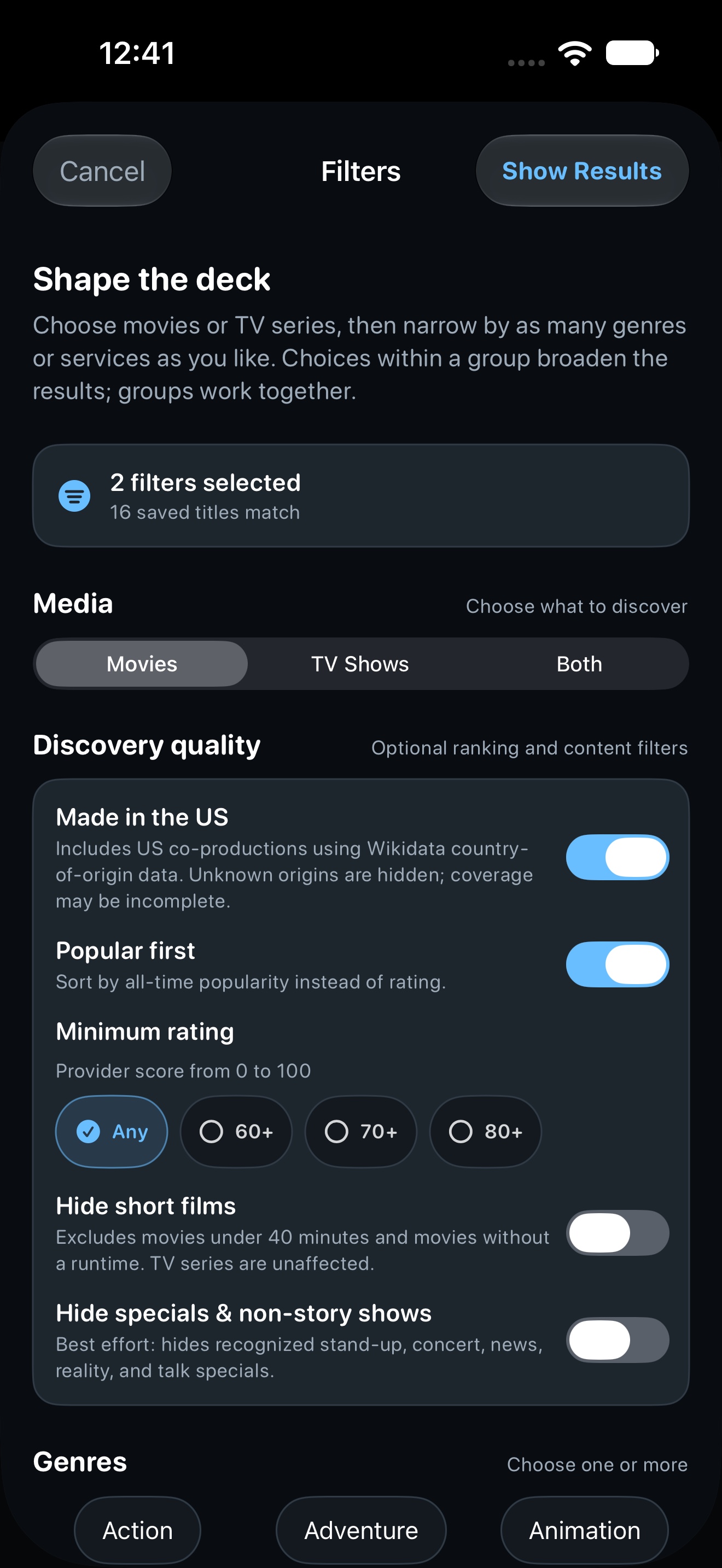
Choose movies, TV shows, or both. Filter by genre and your streaming services, with room for temporary extras.
Actual simulator captures from October 8, 2026, using original artwork for fictional demo films. Titles, history, ratings, and service metadata are illustrative. Real films keep their provider artwork or an unavailable placeholder. Artwork & data credits.
MAKE A NIGHT OF IT
Open Pick and choose Decide tonight to swipe movies and TV shows into a private shortlist. Choose Track history when you want to update what you’ve watched or save a title to your watchlist.
How movie-night picks workThat quiet moment when the whole world seems to stand still.
A feeling worth coming back to.MORE THAN THE END CREDITS
Save private notes at a timestamp in a movie or TV episode. Open the moment timeline to find your notes again.
Keep scene notes on your device or opt in to private sync. To share your take on a movie, post a separate review with optional stars and spoiler controls. New and edited reviews go through moderation before they appear.
YOUR LIBRARY. YOUR CHOICE.
Keep a library on your device, or sign in to sync it. Guest discovery uses a private identity for swipe credits; you can delete it in Profile. Import your guest library explicitly, and keep private notes separate from public submissions.
Read how your data is handledBEFORE THE OPENING SCENE
Download Movie Scene from the U.S. App Store. It requires iOS or iPadOS 18.6 or later.
Movie Scene helps you discover and organize movies and TV shows. It isn’t a streaming service. Streaming preferences help narrow your choices; you watch through the services you use.
Seen simply means you’ve watched it. Seen and Not Seen are mutually exclusive; your watchlist, favorites, Not Interested membership, and custom lists can coexist with either status. Want to Watch keeps the swipe card available so you can still say whether you’ve seen it.
Sign in to write a movie review, vote on reviews, or report a post. Add a spoiler warning when needed. See the community guidelines.
Current live availability is for the United States. Availability can change, and providers may require a separate subscription. Movie Scene does not stream movies or sell access to them.
You do not need to register an email account for free browsing. Guest discovery creates an identity for server swipe credits and choices while your guest library and notes stay on the device. An optional account syncs your library, shortlists, episode progress, and streaming preferences. You’ll need an account for Movie Scene+. Private moment sync is a separate opt-in. Learn about accounts and sync.
Current builds start with 100 discovery credits. After those are used, 25 daily credits begin at the next midnight UTC. Your saved library, search, and personal notes stay available. Movie Scene+ adds unlimited discovery when verified access is active. Subscription availability depends on the version and storefront; prices and terms are shown in the app before purchase.
Visit Support for troubleshooting, data export, and deletion instructions. You can also contact the Movie Scene team at support@eateri.co.
AVAILABLE ON THE APP STORE
Find it with Movie Scene.
Movie Scene for iPhone & iPad · Available nowContact Movie Scene